Indulge in Ultimate Relaxation and Wellness
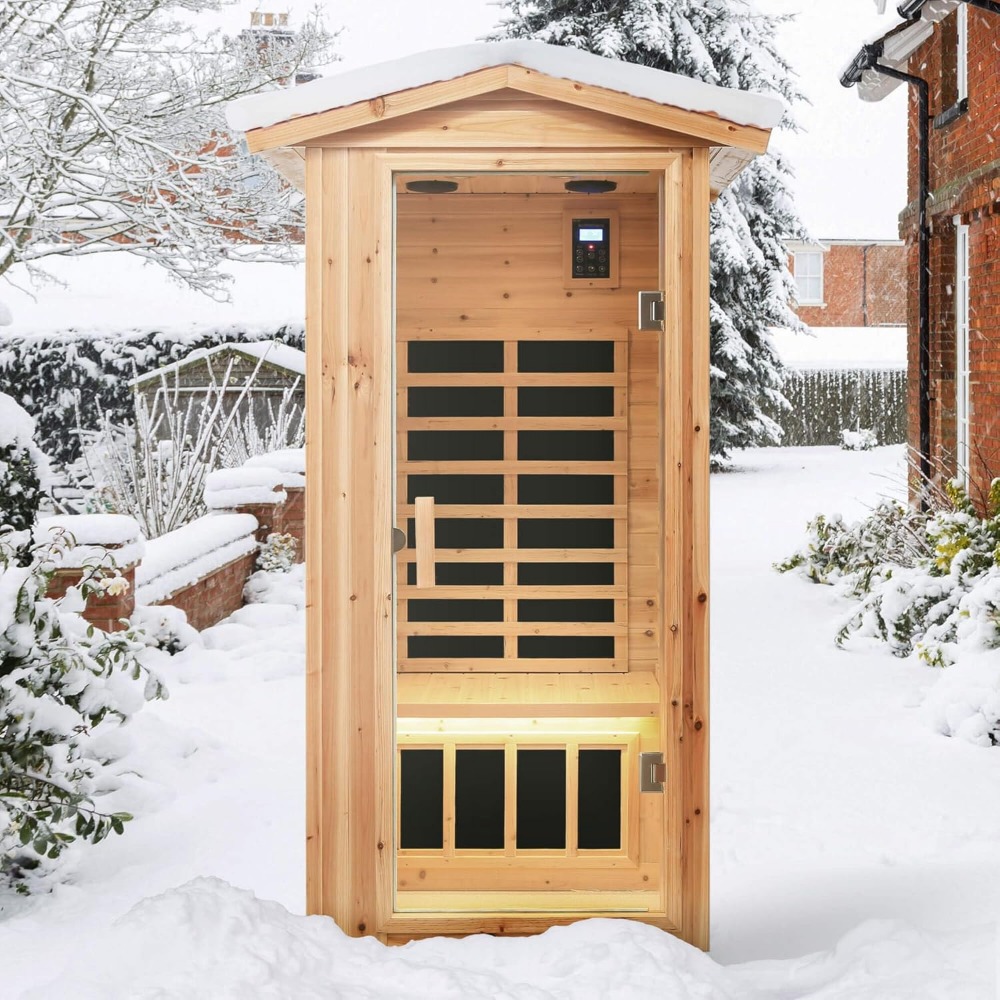
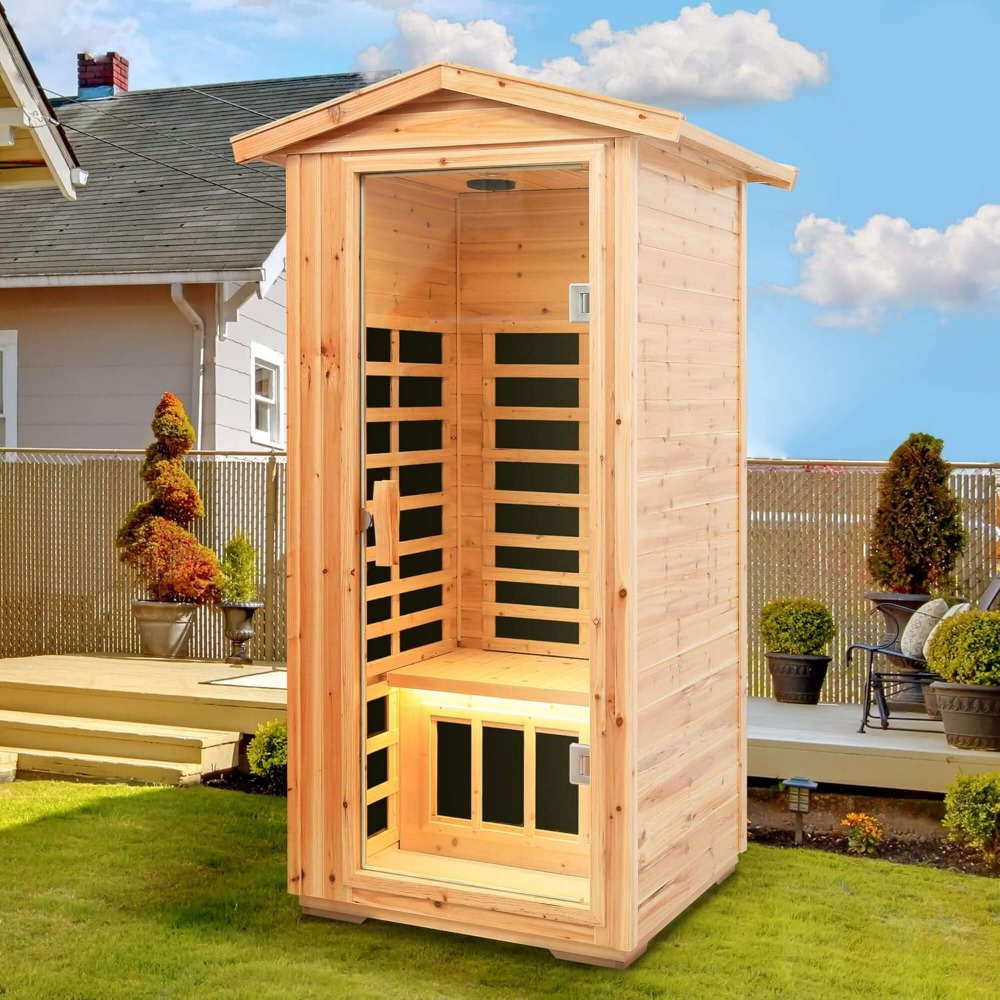
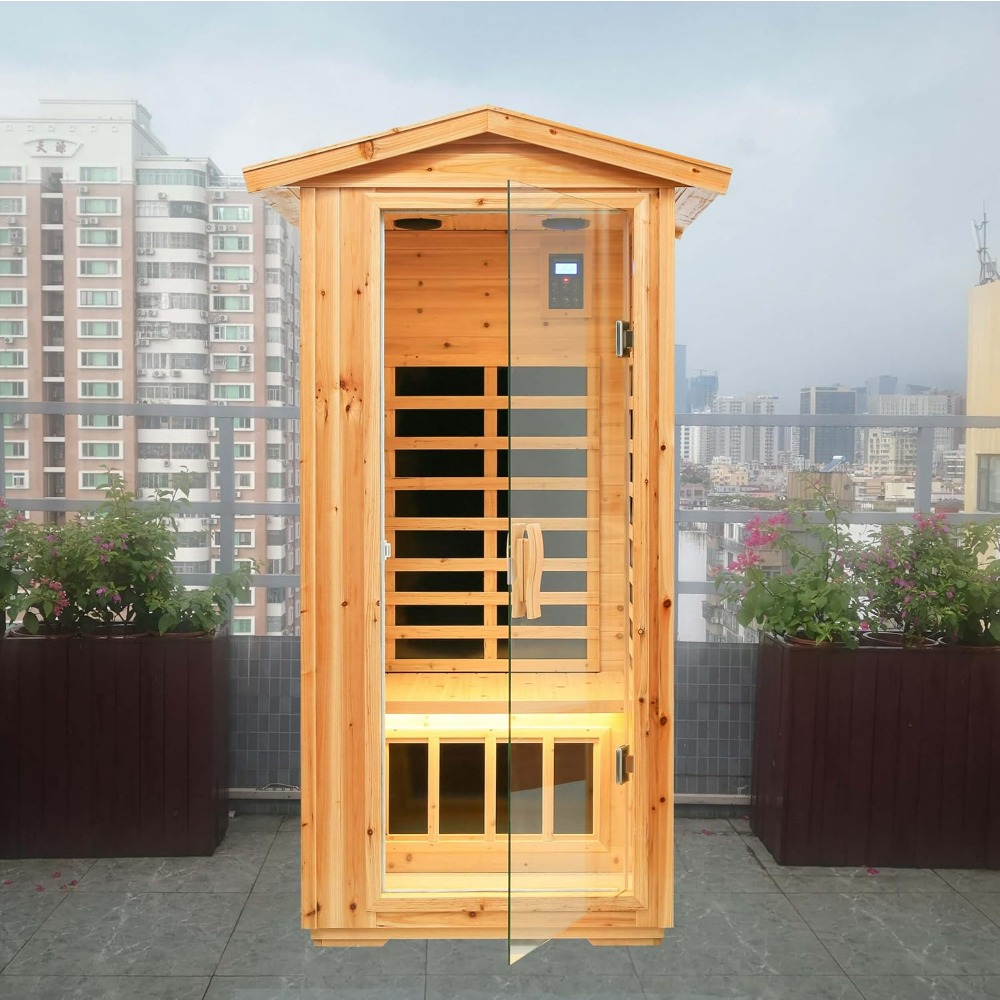
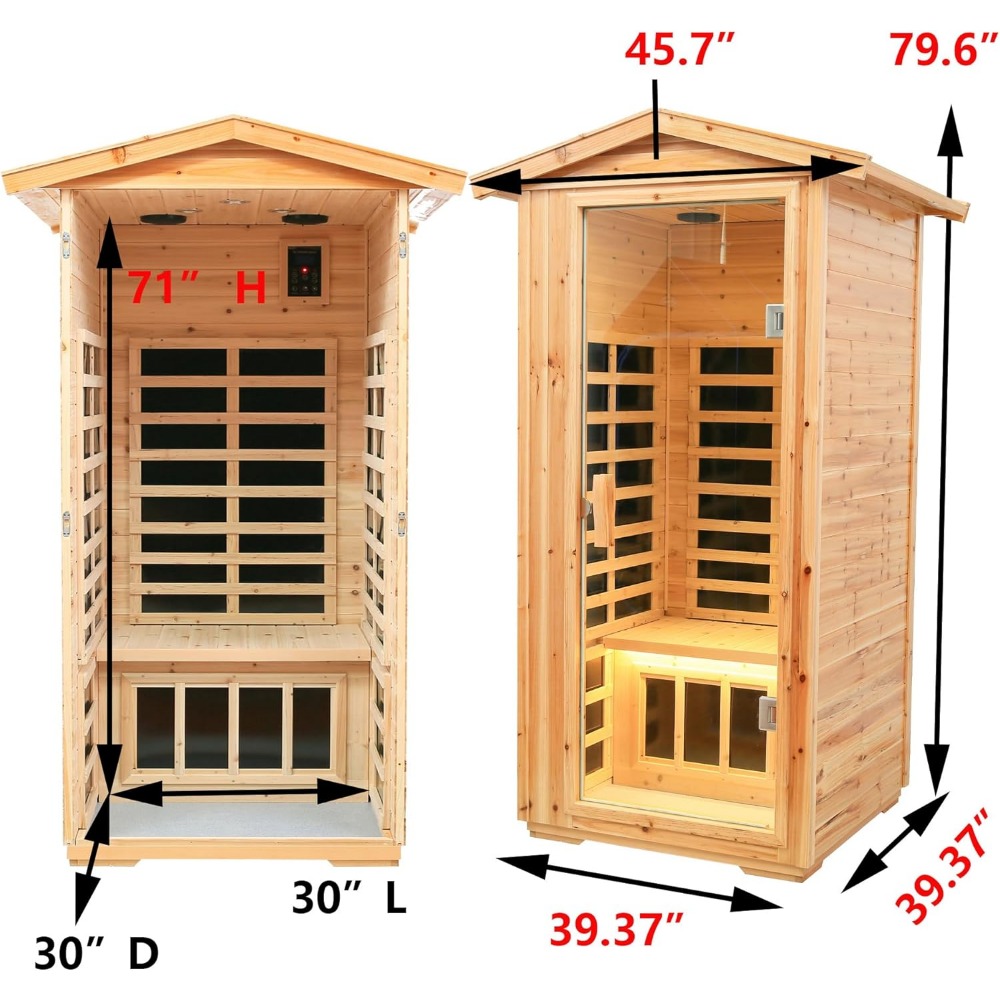
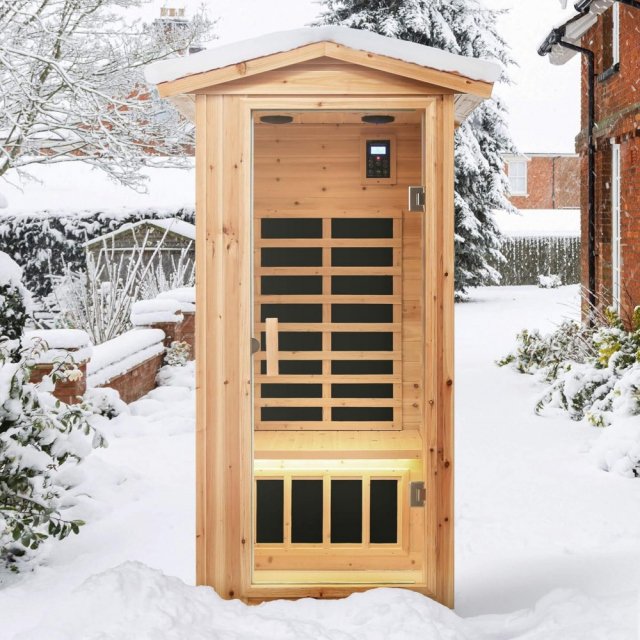
Transform your outdoor or indoor space into a personal wellness retreat with this beautifully crafted Far Infrared Wooden Outdoor Sauna. Designed for one person, it combines modern technology with the natural appeal of kiln-dried premium hemlock wood, creating an oasis of calm and relaxation. Whether you’re looking to unwind after a long day or prioritize your health, this sauna provides the perfect solution.
Top Features of the Far Infrared Wooden Sauna
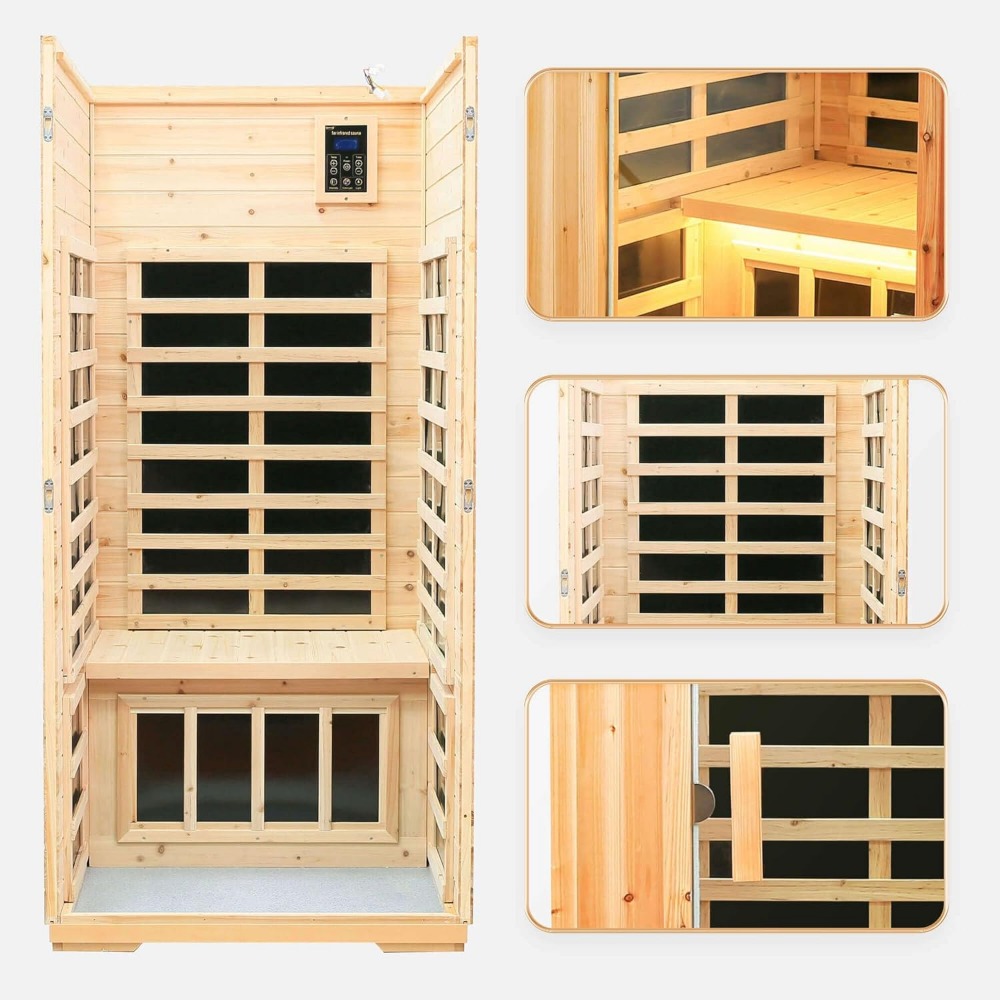
- 6 Low EMF Heating Plates: Efficiently and evenly warm the sauna while maintaining safety and comfort.
- Powerful 1560W System: Delivers quick 10-15 minute pre-warm-up time, so you can enjoy your sauna without the wait.
- Adjustable Temperature Control: LCD panel allows easy presetting of time and temperature up to 149°F, ensuring a customized experience every time.
- Tempered Glass Door: 6 mm thick glass ensures durability while offering a sleek, modern look.
- Bluetooth Speakers: Built-in 4-inch speakers connect to your smart devices, letting you enjoy soothing music or podcasts.
- Ventilation and Modular Design: Top ceiling vents promote airflow, and tongue-and-groove assembly ensures easy setup and maintenance.
Why Choose This Sauna?
This sauna is more than just a luxury—it’s an investment in your well-being. The far-infrared technology penetrates deeply to help relieve muscle tension, improve circulation, and support detoxification. Its compact, one-person size makes it perfect for homes with limited space while still offering all the benefits of larger models.
When to Use This Sauna
Perfect for year-round use, this sauna is ideal after workouts, during cool evenings, or whenever you need a moment to yourself. Whether you install it in your backyard, home gym, or spa area, its sturdy construction ensures it withstands outdoor conditions while enhancing your relaxation experience.
Benefits You’ll Love
- Enhanced Relaxation: Melt away stress and promote better sleep with gentle, therapeutic heat.
- Improved Health: Support detoxification, boost circulation, and relieve sore muscles in the comfort of your home.
- Convenience and Durability: Easy-to-assemble design with long-lasting materials for worry-free use.
- Modern Entertainment: Enjoy music or podcasts via Bluetooth, elevating your sauna sessions.
Your Wellness Journey Starts Here
Indulge in the perfect blend of luxury, technology, and health benefits with this Far Infrared Wooden Outdoor Sauna. Start your journey to a healthier, more relaxed you today!
SHIPPING
We are proud to offer international shipping services that currently operate in over 200 countries and islands world wide. Nothing means more to us than bringing our customers great value and service. We will continue to grow to meet the needs of all our customers, delivering a service beyond all expectation anywhere in the world.
Do you ship worldwide?
Yes. We provide free shipping to over 200 countries around the world. However, there are some locations we are unable to ship to. If you happen to be located in one of those countries we will contact you.
What about customs?
We are not responsible for any custom fees once the items have been shipped. By purchasing our products, you consent that one or more packages may be shipped to you and may get custom fees when they arrive to your country.
How long does shipping take?
Shipping time varies by location. These are our estimates:| Location | *Estimated Shipping Time |
|---|---|
| United States | 5-20 Business days |
| Canada, Europe | 5-20 Business days |
| Australia, New Zealand | 5-20 Business days |
| Central & South America | 5-25 Business days |
| Asia | 5-20 Business days |
| Africa | 5-25 Business days |
Do you provide tracking information?
Yes, you will receive an email once your order ships that contains your tracking information. If you haven’t received tracking info within 5 days, please contact us.
My tracking says “no information available at the moment”.
For some shipping companies, it takes 2-5 business days for the tracking information to update on the system. If your order was placed more than 5 business days ago and there is still no information on your tracking number, please contact us.
Will my items be sent in one package?
For logistical reasons, items in the same purchase will sometimes be sent in separate packages, even if you've specified combined shipping.
If you have any other questions, please contact us and we will do our best to help you out.
RETURNS
Order cancellation
All orders can be cancelled until they are shipped. If your order has been paid and you need to make a change or cancel an order, you must contact us within 12 hours. Once the packaging and shipping process has started, it can no longer be cancelled.
Refunds
Your satisfaction is our #1 priority. Therefore, you can request a refund or reshipment for ordered products if:
- If you did not receive the product within the guaranteed time (45 days not including 1-3 day processing) you can request a refund or a reshipment.
- If you received the wrong item you can request a refund or a reshipment.
- If you do not want the product you’ve received you may request a refund but you must return the item at your expense and the item must be unused.
We do not issue the refund if:
- Your order did not arrive due to factors within your control (i.e. providing the wrong shipping address)
- Your order did not arrive due to exceptional circumstances outside the control of empirale.com (i.e. not cleared by customs, delayed by a natural disaster).
- Other exceptional circumstances outside the control of empirale.com.
*You can submit refund requests within 15 days after the guaranteed period for delivery (45 days) has expired. You can do it by sending a message on Contact Us page
If you are approved for a refund, then your refund will be processed, and a credit will automatically be applied to your credit card or original method of payment, within 14 days.
Exchanges
If for any reason you would like to exchange your product, perhaps for a different size in clothing, you must contact us first and we will guide you through the steps.
Please do not send your purchase back to us unless we authorise you to do so.
Order cancellation
All orders can be cancelled until they are shipped. If your order has been paid and you need to make a change or cancel an order, you must contact us within 12 hours. Once the packaging and shipping process has started, it can no longer be cancelled.
Refunds
Your satisfaction is our #1 priority. Therefore, you can request a refund or reshipment for ordered products if:
- If you did not receive the product within the guaranteed time( 45 days not including 2-5 day processing) you can request a refund or a reshipment.
- If you received the wrong item you can request a refund or a reshipment.
- If you do not want the product you’ve received you may request a refund but you must return the item at your expense and the item must be unused.
We do not issue the refund if:
- Your order did not arrive due to factors within your control (i.e. providing the wrong shipping address)
- Your order did not arrive due to exceptional circumstances outside the control of empirale.com (i.e. not cleared by customs, delayed by a natural disaster).
- Other exceptional circumstances outside the control of https://empirale.com
*You can submit refund requests within 15 days after the guaranteed period for delivery (45 days) has expired. You can do it by sending a message on Contact Us page
If you are approved for a refund, then your refund will be processed, and a credit will automatically be applied to your credit card or original method of payment, within 14 days.
Exchanges
If for any reason you would like to exchange your product, perhaps for a different size in clothing. You must contact us first and we will guide you through the steps.
Please do not send your purchase back to us unless we authorise you to do so.
Customer Reviews
There are no reviews yet
Write a Review
We Think You’ll Love
Top picks just for you