Cool, Supportive Mesh Chair for Small Desks
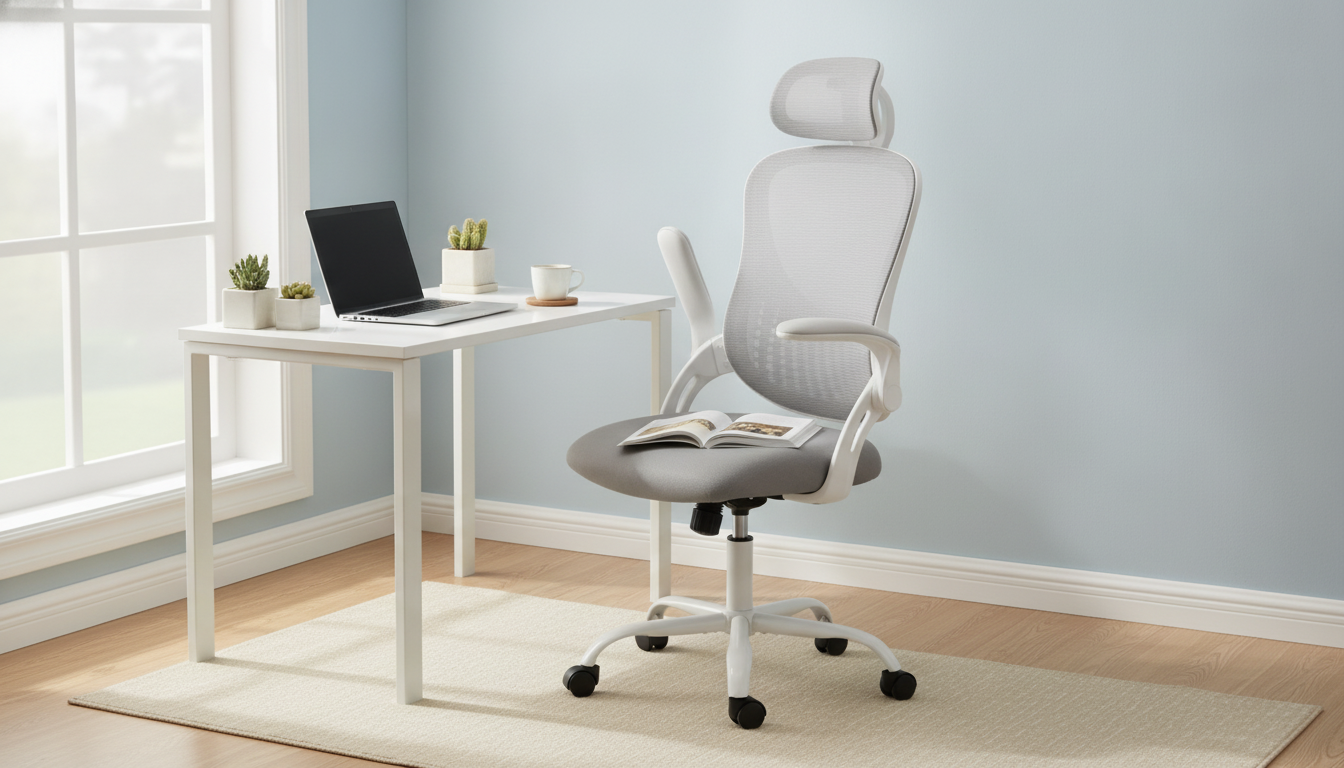
Ergonomic comfort for real workdays (and real rooms)
Long screen time is easier when a chair supports natural posture, keeps air moving, and adapts to different tasks. This ergonomic mesh office chair pairs a breathable back with an adjustable headrest and flip-up armrests, making it a practical option for home offices, small desks, and shared workspaces where flexibility matters.
What makes this chair different day to day
A good desk chair should feel supportive during focused typing, forgiving during quick breaks, and unobtrusive when you need your space back. This style of ergonomic mesh chair is designed around those everyday moments.
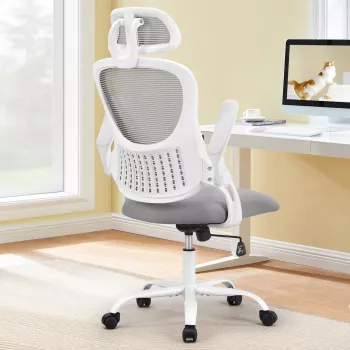
- Breathable mesh back helps reduce heat buildup during long sessions.
- Adjustable headrest supports the neck when reading, taking calls, or leaning back.
- Flip-up armrests create extra elbow room for typing, guitar/keyboard practice, or sliding the chair under a desk.
- A compact, adaptable feel that suits multi-use rooms and tighter desk setups.
Core comfort features to look for
Ergonomics isn’t about feeling “locked in.” It’s about making neutral posture the easiest posture to maintain. These are the features that tend to matter most once the novelty wears off and the workday starts repeating.
- Back support that encourages an upright, neutral spine position rather than slouching.
- A seat that feels stable and supportive without cutting into the backs of the legs.
- Armrests that can be used when needed and moved out of the way when they interfere with desk height or chair clearance.
- A headrest that can be positioned to meet the curve of the neck, not push the head forward.
For broader workstation guidance, resources like the OSHA Computer Workstations eTool and the Mayo Clinic office ergonomics guide can help you align chair setup with monitor, keyboard, and desk height.
Adjustable headrest: how to set it up
An adjustable headrest can be a relief when you lean back to think, read, or decompress between tasks. The key is gentle contact—not pressure that changes your posture.
- Raise or lower the headrest until it meets the base of the skull/upper neck area while sitting tall.
- Avoid settings that force the chin forward; the goal is gentle support, not a “pushing” sensation.
- Re-check headrest position after adjusting seat height—one change often affects the other.
- Use head support for micro-breaks: lean back briefly, relax shoulders, then return to neutral posture.
Flip-up armrests: when they help (and when to move them)
Armrests are great—until they’re the reason you can’t scoot close enough to the desk or your wrists start angling up. Flip-up arms give you a fast way to change the chair’s “mode” without a full readjustment.
- Keep armrests down for mouse work and relaxed shoulders; elbows should rest lightly without shrugging.
- Flip armrests up to pull closer to a desk, fit under a tabletop, or create space for side-to-side movement.
- If armrests bump into the desk edge or force wrists to angle upward, flip them up or lower the chair/raise the desk surface if possible.
- For shared workstations, flip-up arms simplify quick transitions between users and tasks.
Fit guide: quick checks for better posture
Small tweaks can prevent the slow creep of discomfort that shows up late afternoon. Use these quick checks to dial in a setup that feels steady, not tense.
- Seat height: feet flat on the floor (or a footrest), knees roughly level with hips.
- Back contact: sit back so the lower back is supported; avoid perching on the front edge.
- Arm position: elbows near the body, forearms roughly parallel to the floor for typing comfort.
- Monitor height: top of screen near eye level to reduce neck strain; headrest should not replace good monitor placement.
Fast setup checklist (5-minute tune-up)
| Adjustment | Target feeling | Common fix if it feels off |
|---|---|---|
| Seat height | Feet planted; thighs supported | If toes dangle, lower seat or add a footrest |
| Back support | Lower back feels supported, not pushed | Scoot hips back; adjust recline/position if available |
| Armrests (down) | Shoulders relaxed; elbows lightly supported | If shoulders lift, lower arm contact or flip arms up |
| Armrests (up) | Chair slides under desk; more freedom of movement | If elbows need support for mousing, flip back down intermittently |
| Headrest | Neck supported without chin jutting | Lower or tilt to reduce forward head pressure |
Breathable mesh benefits for long sessions
Mesh seating is popular for a reason: it tends to feel cooler and less “stuck” than thick padding, especially in warmer rooms or under long, uninterrupted workloads.
Who this chair tends to suit best
Care, maintenance, and everyday durability
Common comfort problems and simple fixes
Product snapshot
- Name: Ergonomic Mesh Office Chair with Adjustable Headrest and Flip-Up Armrests
- Price: $63.67 (USD)
- Availability: In stock
- Best for: adaptable desk setups that benefit from breathable support and space-saving armrests
Also in stock
- No-Nausea Ride: The Ultimate Digital Guide to Beating Motion Sickness on the Road (helpful for commuters who work on the go)
- Smart Thrift: Unlocking Style Without Wasting Money – A Strategic Guide to Thrift Shopping (a practical guide for stretching a home-office budget)
FAQ
Do flip-up armrests make a chair easier to fit under a desk?
Yes. Flipping the armrests up reduces the chance they’ll hit the desk edge, and it can help the chair slide under the tabletop so you can sit closer for more comfortable typing posture.
How should an adjustable headrest feel when it’s set correctly?
It should provide light support at the base of the skull/upper neck without pushing your head forward. If you feel your chin jutting out, adjust the headrest and confirm your monitor height is set appropriately.
Is a mesh back comfortable for long hours of work?
Mesh can be very comfortable for long sessions because it promotes airflow and reduces heat buildup. For the best results, keep seat height dialed in and take brief movement breaks to reset posture.













Leave a comment